Sep 24, 2026Packaging Machines Guides
When Is a Manual Hot-Stamp Coder Enough? A Straight Answer for Small Producers
Printing dates and batch codes in small batches? See when a manual hot-stamp coder is enough, when it isn't, and how to get clean prints either way.
What a manual hot-stamp coder can do
If you need to print production dates, batch numbers, or expiry dates on bags and labels in small batches, a manual hot-stamp ribbon coder is often enough — and it is the cheapest way to start. This article helps you decide whether manual is enough for your daily volume, and how to get clean, readable prints if it is.
This is for you if you print on flat surfaces — plastic film, foil laminates, labels, paper cards — a few dozen to a few hundred impressions a day, and the text is short: dates, lot numbers, a line or two. It is probably not for you if you print on curved or uneven surfaces, if you need thousands of prints per hour on a running line, or if your material does not accept hot-stamp ribbon (test this first — some coated films resist it). What follows describes how these machines generally behave; exact print areas and ribbon life differ by model, so confirm against your own material before ordering.
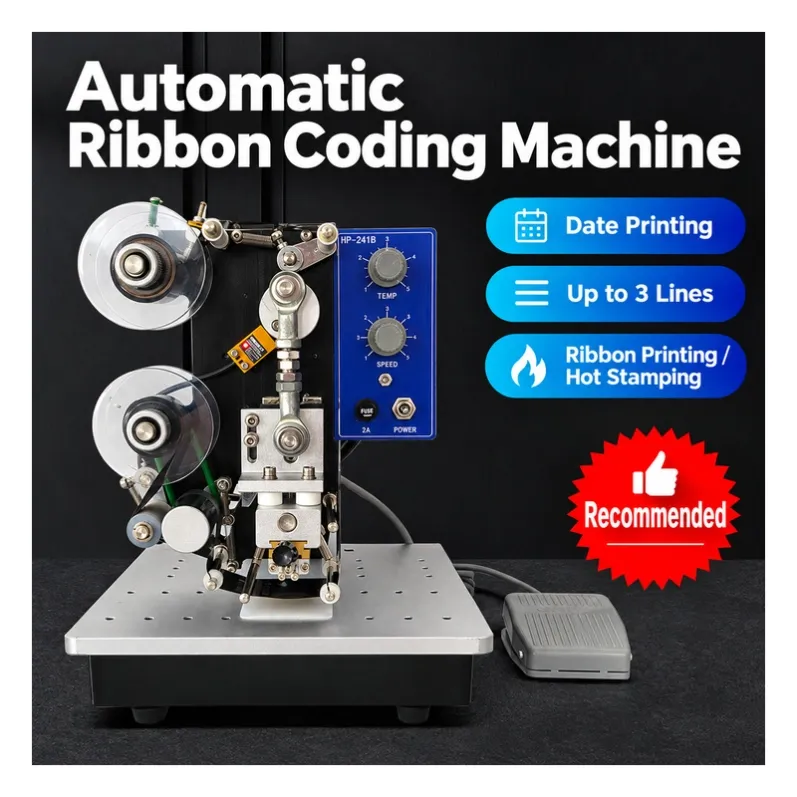
A manual hot-stamp coder works like a controlled stamp: you set movable characters (or a fixed plate), the machine heats them against an ink ribbon, and you press the print head onto the material by hand, one impression at a time. A compact model like the DY-8 — the type we supply — prints production dates, lot numbers, expiry information, and short text on plastic film, aluminum foil laminates, labels, and paper cards. Each print takes a second or two of your time, and the print is dry the moment it comes off, because the ink comes from the ribbon — no smudging, no drying wait.
Its strengths match small-scale needs exactly: low price, almost no setup, readable and permanent marks, and characters you can rearrange whenever your batch code changes.
The hidden cost when manual is not enough
- You are the person printing, so every batch of bags means stopping at the coder, aligning each one, and pressing — hundreds of times a day if volume grows.
- When prints come out light, partial, or misplaced, you cannot tell at a glance whether the cause is temperature, pressure, ribbon, or your technique.
- A product page shows print area and character counts, but not how the machine behaves on your actual film at your actual pace — the evidence you need is missing.
- So you re-print spoiled bags, slow the line to check each mark, or hesitate between manual and electric while the questions stay unanswered.
- The consequence stays bounded but real: wasted bags and ribbon, and a risk that codes become hard to read — which is the one thing a date code must never be.
- The decision you can complete here: answer three questions about your volume and surface, and you will know whether manual is enough — or which direction to step up.
Three questions that settle it
1. How many impressions per day? Up to a few hundred spread across the day, manual is typically comfortable. If you find yourself printing for an hour non-stop, every day, that is the point where an electric or machine-mounted coder starts paying for itself.
2. What surface? Flat and ribbon-compatible (most films, foils, labels, cards) → manual works. Curved bottles, round jars, or fabrics → it does not; those need different machines, and we will tell you so.
3. How often does your text change? Manual coders use movable characters, so frequent batch-code changes are actually their strength. Fixed artwork printed at high speed is the only case that points elsewhere.
Getting clean prints with a manual coder
Manual does not mean messy. Four habits produce clean, readable marks:
- Match the ribbon to the material. Wax-resin and resin ribbons behave differently on film versus foil; ask your supplier which ribbon suits your bags, and keep one spare roll on hand.
- Set temperature by test, not by feel. Start low, print on scrap material, and step up until the print is solid without smearing or cutting through the film.
- Keep pressure and dwell consistent. Same press, same time, every impression — inconsistent pressure is the most common cause of partial prints.
- Check the first print of every batch. One glance at the start of each batch catches a worn character wheel or a cooling head before it costs you a run of unreadable codes.
When to step up instead
Honest boundary: if you are printing on a running filling or bagging line, on curved containers, or you need codes applied at line speed without an operator, a manual coder is the wrong tool. An electric hot-stamp coder or an inkjet unit fits those cases. If you send us your product and daily quantity, we will tell you which side of that line you are on — even if the answer is that we do not carry the machine you need.
If manual fits: what ordering from us looks like
We are a trading company based in Taizhou, China, supplying manual coders and other small packaging machines from vetted local factories. We video-test every machine before it ships — you see your actual coder printing clearly before you pay the balance. Single-unit trial orders are welcome, and ribbon can be included with your order.
The next step is small: send a photo of what you want to print on, and we will confirm honestly whether a manual coder handles it.